Reciti is invitation only. There is no public sign-up page, and every account starts from a link your community shares with its residents. This page covers each step of joining, with a picture of what you'll see along the way.
1. Get your community's join link
Your community's manager or board sends the join link out, usually by email or in a newsletter. Some communities also post a flyer with a QR code at the amenity itself. If you don't have the link, ask your community's manager.
2. Open the link and enter your email
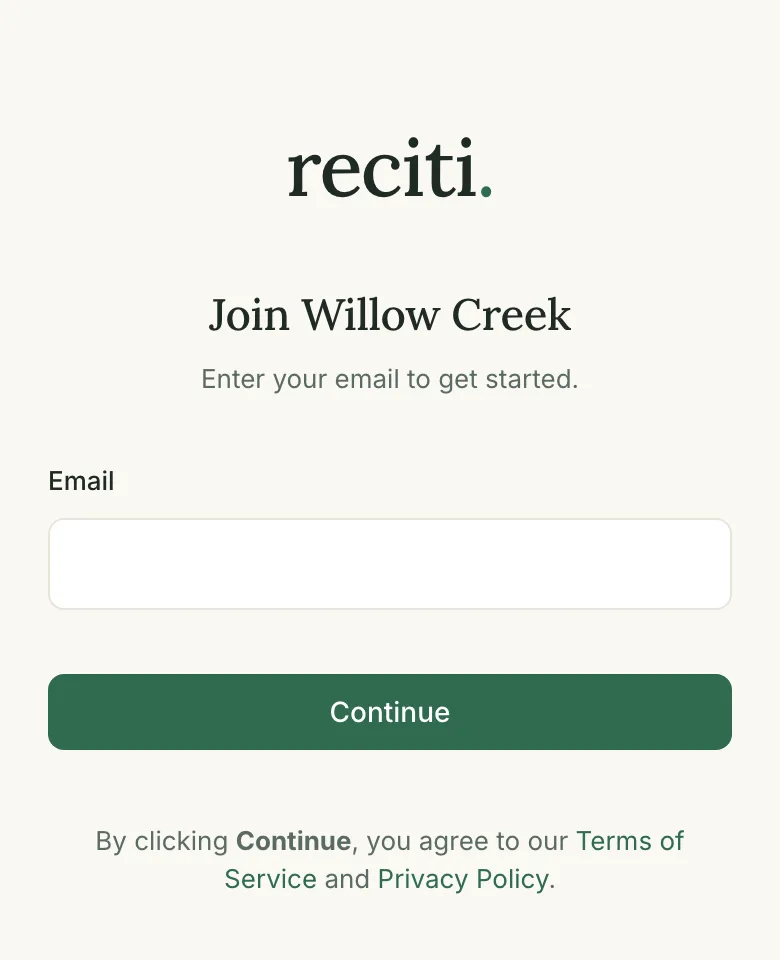
The join page shows your community's name. Enter your email address and tap Continue. If you were invited by name, the address is already filled in for you. Some communities also ask for your name and unit number on this page. Check the address carefully, because it becomes the way you sign in from then on. Tapping Continue also accepts the Terms of Service and Privacy Policy, which are linked right below the button.
3. Open the email we send you
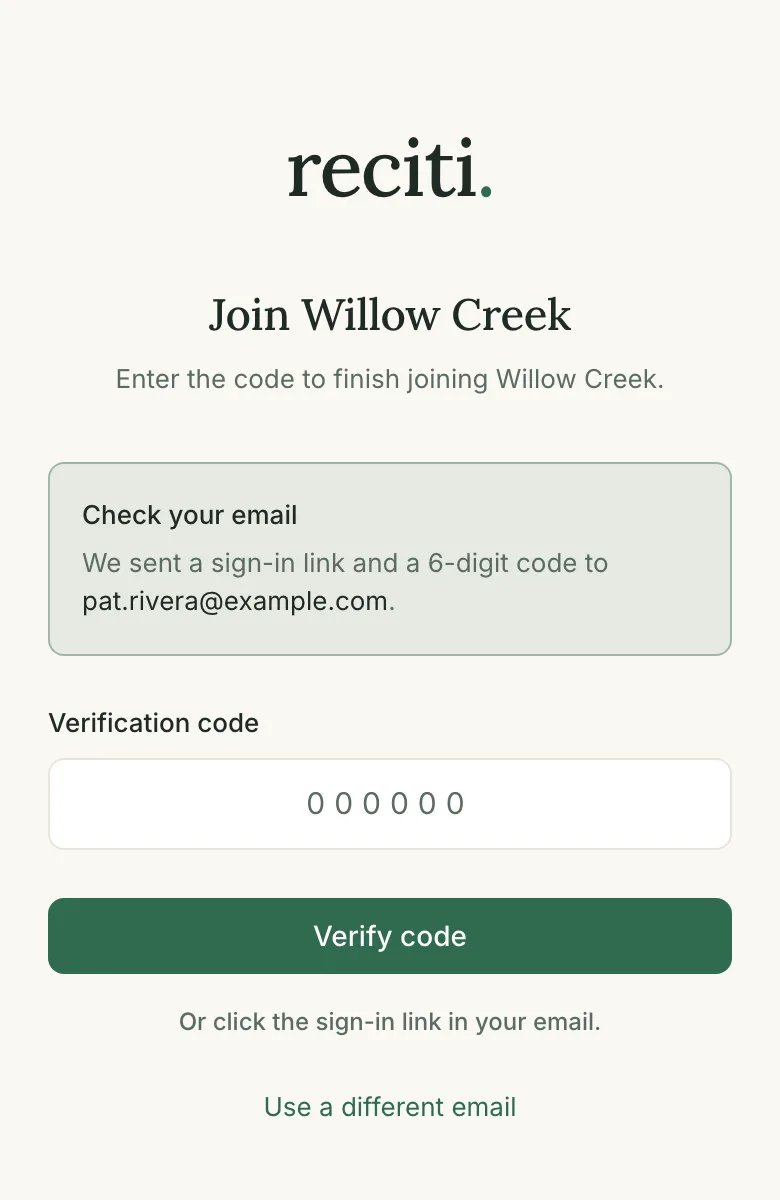
Reciti doesn't use passwords. Each time you sign in, we email you a secure link instead. After you tap Continue, the join page tells you to check your email and waits for you.
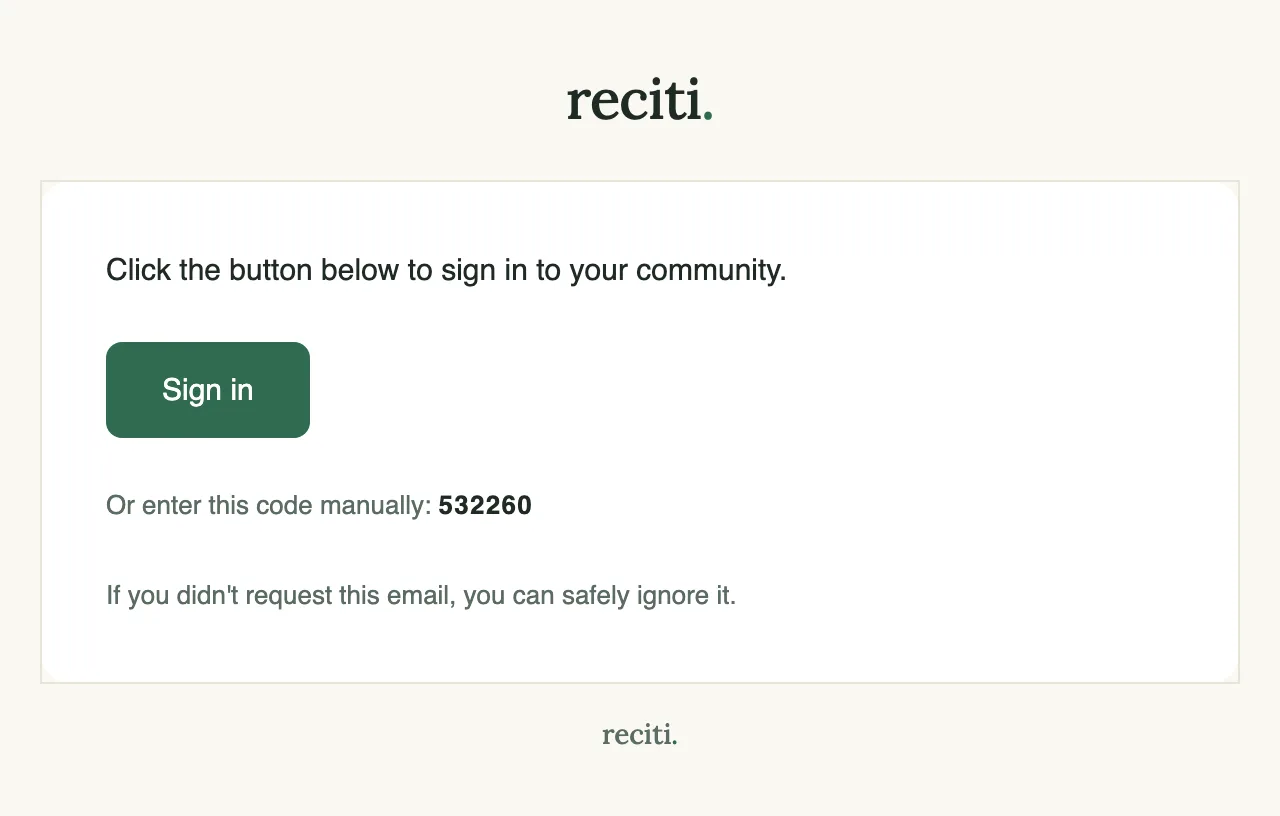
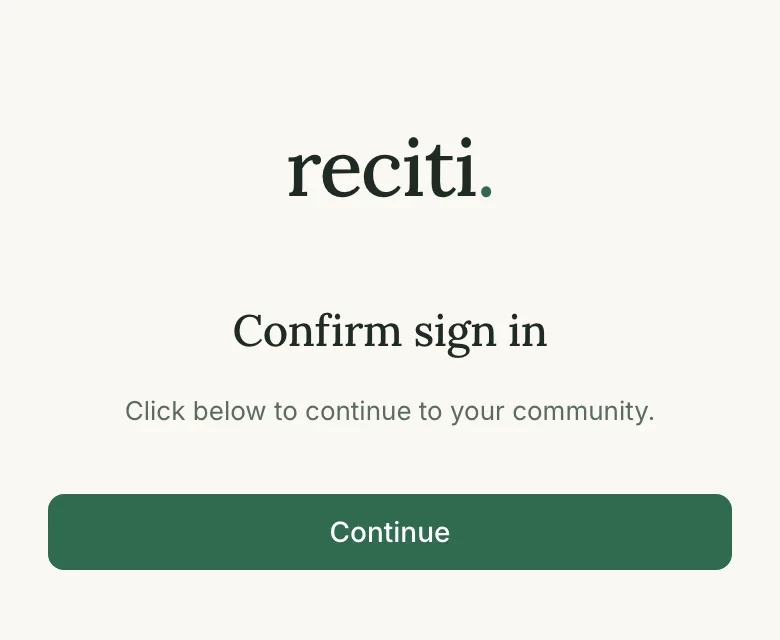
Open your inbox and find the message from Reciti. Tap the Sign in button in that email. If a page titled Confirm sign in appears, tap Continue there as well.
If you'd rather not leave the join page, type the 6-digit code from the email into the code box and tap Verify code. The first message can take a minute or two to arrive, and it occasionally lands in spam.
4. Finish your profile
If you haven't provided them yet, you'll be asked for your name and your address or unit number. The name box may already contain part of your email address. Replace it with the name your community knows you by, then tap Continue. Your community's managers see that name on reservations. Neighbors don't. They can see that a time is taken, but not who reserved it. Your unit connects your account to your household.
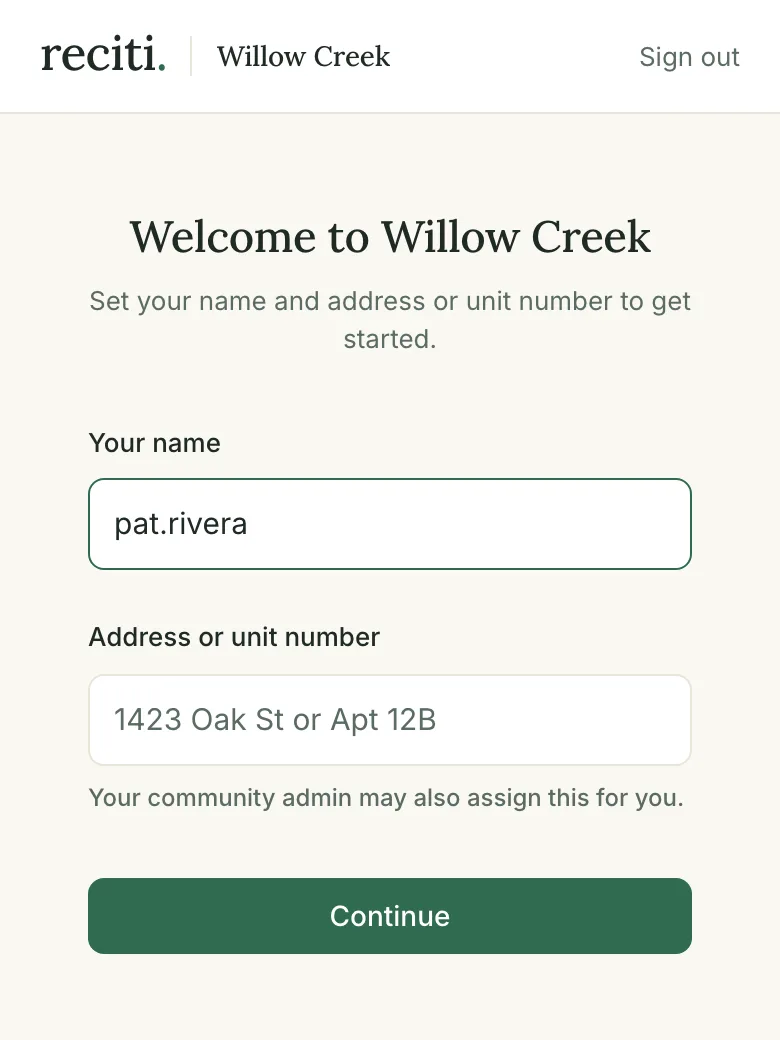
Some communities review new members before activating them. If yours does, you'll see a pending screen after you join, and an email arrives once a board member or manager has approved you.
5. Your community's amenities
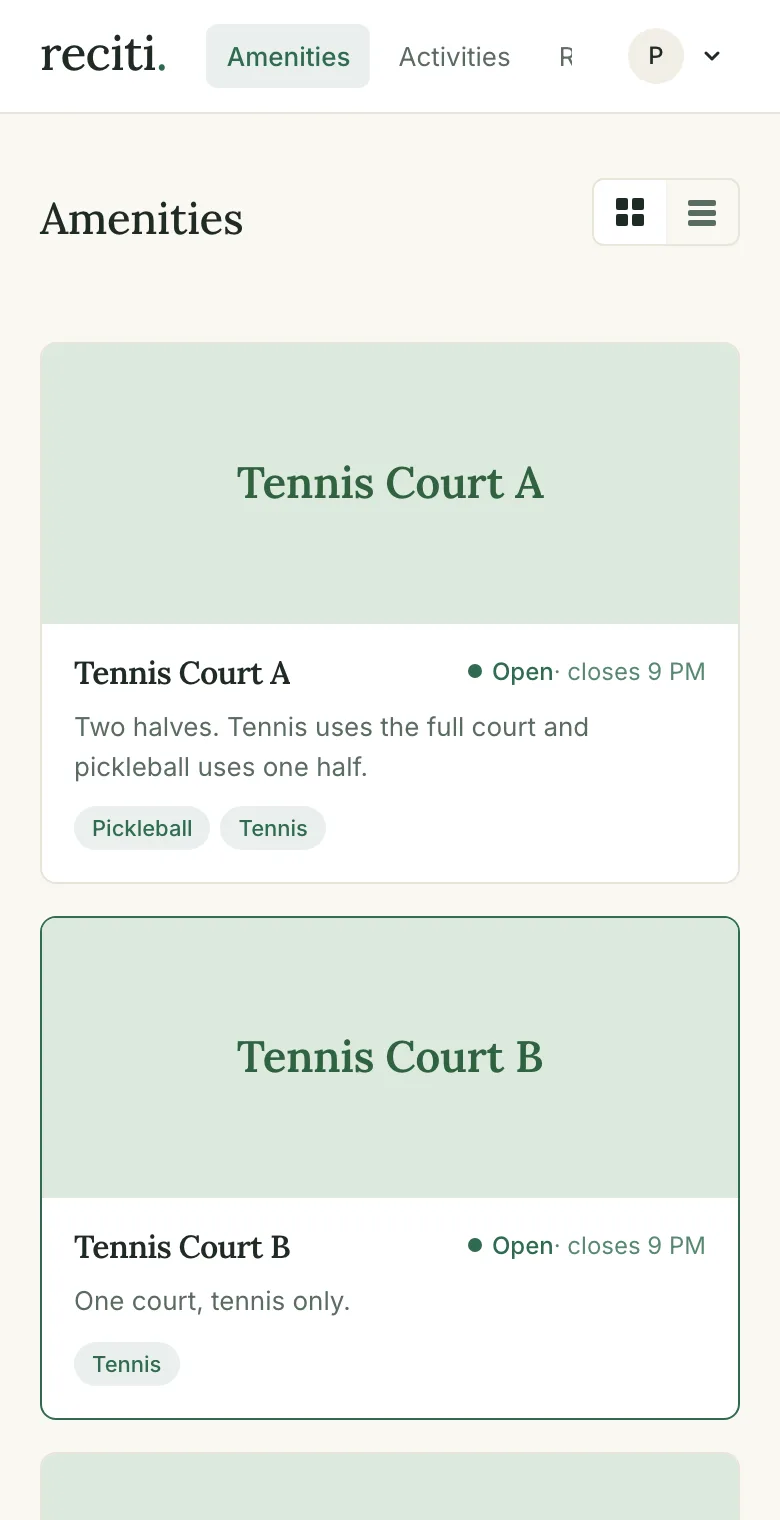
You'll land on your community's amenities page, which lists every space you can reserve along with whether it's open right now. From here, the next guide covers booking an amenity.
Common questions
Why is there no password?
A sign-in link is easier to use and harder to misuse. There's nothing to remember, and no password that could leak and be tried on other sites. Each time you sign in on a new device, we send you a fresh link.
Do I need to download an app?
No. Reciti runs in the web browser on your phone or computer. If you want one-tap access on your phone, add it to your home screen. In Safari, tap Share and choose Add to Home Screen. In Chrome on Android, open the menu and choose Add to Home screen.
The email never arrived
Check your spam and junk folders and give it a minute. Then request a new link from the sign-in page. If it still doesn't show up, the likely cause is a strict corporate email filter, and a personal email address usually works better. If your invitation was addressed to you by name, ask your community's manager to send it to the address you'd prefer.
My join link says it's invalid or expired
Communities can replace their join link at any time for security reasons. Ask your community's manager for the current one.
Who do I contact for help?
Your community's manager or board. They can fix your account, correct your unit, and answer questions about the rules.